728x90
반응형
*이 문서는 manualfactory.net에서 제공한 내용을 기반으로 작성되었습니다.
GitHub - valinet/ExplorerPatcher: This project aims to enhance the working environment on Windows
This project aims to enhance the working environment on Windows - GitHub - valinet/ExplorerPatcher: This project aims to enhance the working environment on Windows
github.com
1. 홈페이지 방문 후 최신 버전 다운로드.

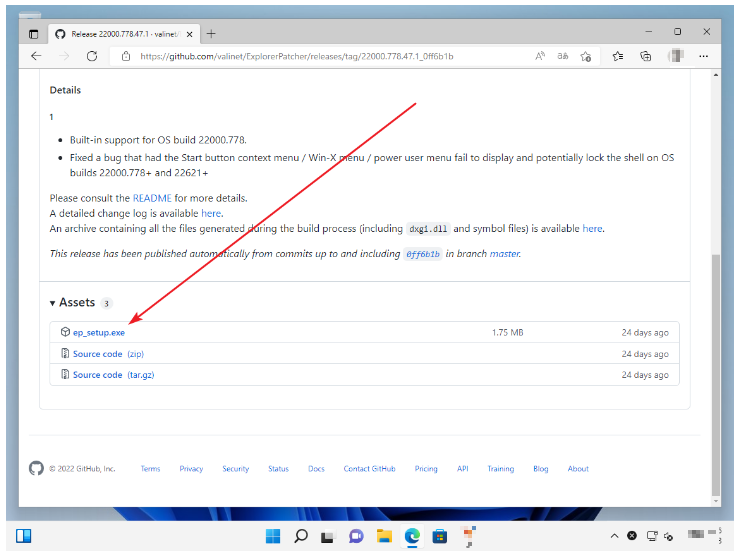
2. 다운로드한 exe 파일을 설치하게 되면 작업표시줄이 아래와 같이 바뀜.
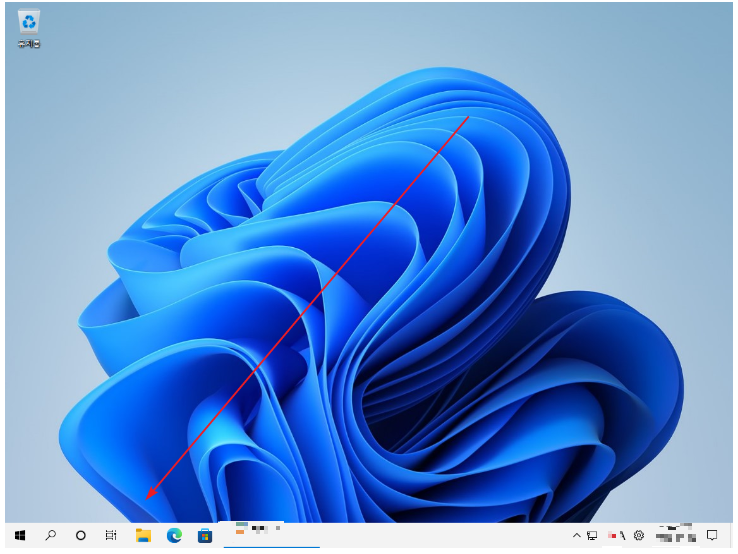
3. 작업 표시줄 그룹화 해제가 가능.

4. 설정은 작업 표시줄에서 우클릭 후 [속성]을 클릭.
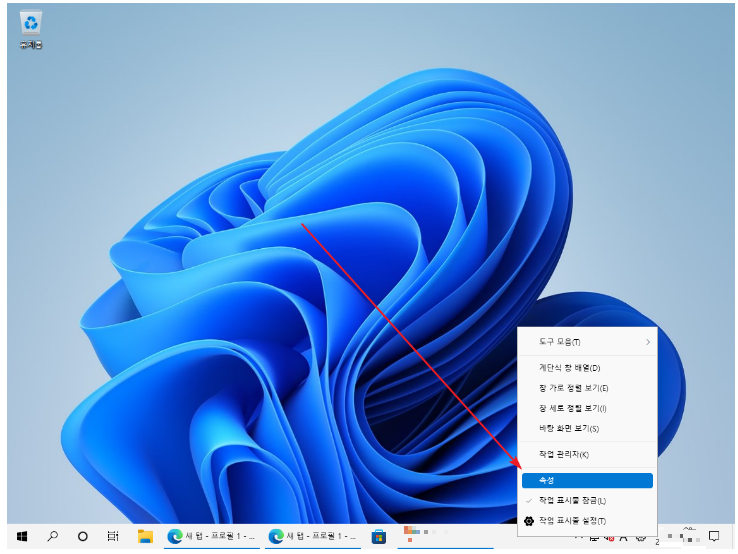
5. 윈도우 10에 있던 설정 대부분이 다 존재함.

728x90
반응형
'기타 (Etc) > Windows 11' 카테고리의 다른 글
| Windows 11 - 윈도우 11 휴지통 크기 지정 or 사용하지 않는 법. (0) | 2024.08.11 |
|---|---|
| Windows 11 - 윈도우 11 파일 탐색기 or 즐겨찾기 관리 or 최근 항목 지우는 법. (0) | 2024.08.11 |
| Windows 11 - 윈도우 11 초기화 하는 법. (0) | 2024.08.11 |
| Windows 11 - 윈도우 11 복원 지점 만드는 법 or 복원하는 법. (0) | 2024.08.11 |
| Windows 11 - 윈도우 11 Windows 기능 켜기 or 끄기. (0) | 2024.08.11 |


